
Wake an agent from GitHub webhooks
Have an agent act on pull requests, issues, pushes or releases. Create a GitHub trigger in Qoren and add its URL and secret to a repository webhook.
On this page
A GitHub trigger wakes an agent when something happens in a repository: a pull request opens, an issue gets a comment, a release ships. Typical uses are a first review of every new pull request, a triage note on new issues, or release notes drafted the moment a release is published.
This page covers the GitHub side. For how triggers work in general (rules, Act or Propose only, the delivery log), see let an event wake your agent.
Before you start#
- An agent that has finished setting up.
- Admin access to the GitHub repository (or organization) you want to connect. GitHub only lets admins add webhooks.
Create the trigger in Qoren#
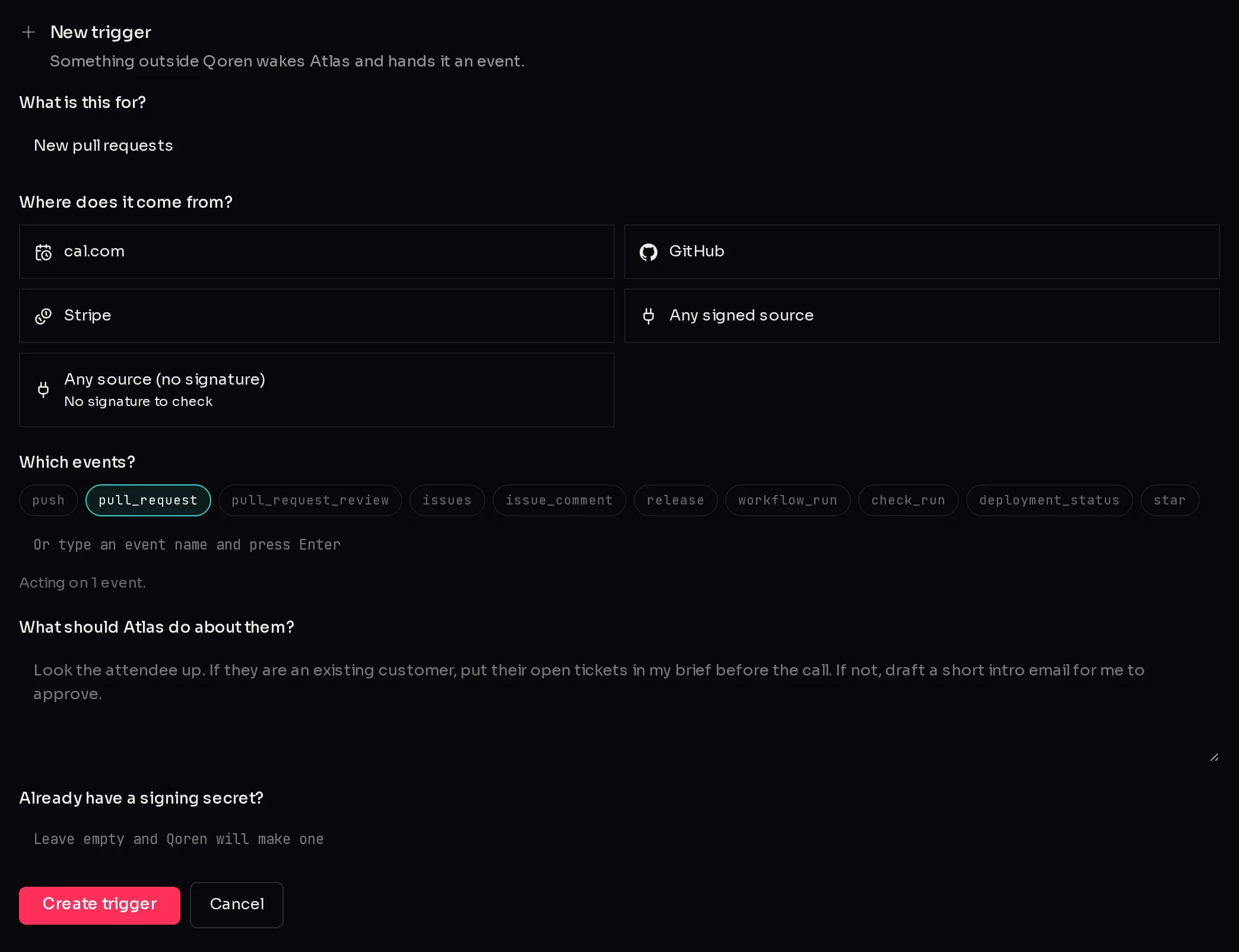
- Open the agent, click Settings, then Connections, scroll to Triggers and click Add a trigger.
- Name it in What is this for?, for example "New pull requests".
- Under Where does it come from?, pick GitHub (1).
- Under Which events?, pick what the agent should act on, for example pull_request (2).
 12
12- Write the rules: what the agent should do with each event.
- Leave Already have a signing secret? empty so Qoren makes one, then click Create trigger.
- Copy the Webhook URL and the Signing secret from the card that appears. They are shown only once.
The events offered for GitHub are push, pull_request, pull_request_review, issues, issue_comment, release, workflow_run, check_run, deployment_status and star. You can type any other GitHub event name and press Enter.
Add the webhook in GitHub#
GitHub's own guide is creating webhooks, and every event is described in webhook events and payloads.
- In GitHub, open the repository, then Settings, then Webhooks, and click Add webhook. For every repository in an organization, do the same in the organization's settings.
- Paste the Webhook URL into Payload URL.
- Set Content type to
application/json, so the agent gets the event as readable JSON. - Paste the Signing secret into Secret.
- Under Which events would you like to trigger this webhook?, choose Let me select individual events and tick the same events you picked in Qoren.
- Keep Active ticked and click Add webhook.
Check that it works#
GitHub sends a ping event as soon as you add the webhook.
- If your trigger listens for specific events, the ping shows up in the trigger's Deliveries as ignored. That is good news: a delivery only gets that far after its signature checks out, so the URL and the secret are right.
- If nothing appears in Deliveries, open the webhook in GitHub and look at Recent Deliveries. A refused signature means the secret in GitHub does not match; replace the pair in Qoren with New URL and secret and paste both again.
To try the agent's side without waiting for real activity, click Send a test event in the trigger. It sends a made-up sample and runs the agent on it.
What the agent receives#
GitHub names the event in a header, so the trigger matches on names like pull_request or issues. What happened inside that event, such as a pull request being opened, closed or merged, is in the body as action. Say in your rules which actions matter, for example: "Only act when the action is opened. Ignore closed and synchronize."
The agent gets your rules and the full event body GitHub sent, labelled as data from outside, and it replies with a short summary that appears in the delivery log. If GitHub retries a delivery, Qoren recognises its delivery id and does not run the agent twice.
Frequently asked questions#
Which GitHub events should I pick?
Only the ones your rules use. Every event that reaches the agent is a paid turn, and a busy repository sends a lot of push and check events.
Can one trigger cover several repositories?
Yes. Add the same URL and secret to each repository's webhooks, or add one webhook in the organization's settings. The payload says which repository it came from.
Why did my pull request event not wake the agent?
Check the trigger's Deliveries. Ignored means the event name was not in the trigger's list; nothing at all means GitHub did not reach it, the signature did not match, or the trigger is paused.