
Agent setup is taking a long time
What happens while a new agent sets up, how long it usually takes, how to tell a slow setup from a stuck one, and what to do if setup fails.
On this page
A new agent needs a while before it can chat. Qoren is installing its runtime and everything it depends on, then writing its instructions and files. This page explains what is happening and when to act.
How long setup usually takes#
- A new environment usually takes a minute or two to come up. It then installs shared dependencies in the background; you can already add agents while it does, and their setup waits for the install to finish.
- A new agent usually takes 10 to 15 minutes to set up.
- A team built with Quick Start that includes a new environment can take up to 30 minutes, because the first agent on a new environment also installs its runtime there.
You do not need to keep the page open. Setup runs on Qoren's side, and the agent's page shows where it has got to whenever you come back.
What you see while it sets up#
Open the agent. The status next to its name reads Setting up, followed by the step it is on, such as Installing the agent runtime, and a counter with the step number and how long that step has taken. The newest line the machine printed appears under it.
While setup runs:
- The Chat tab runs a short setup interview instead of the chat. Answer a few questions and the agent gets your answers when it comes online, or click Skip for now, I'll chat when it's ready. See Deploy your first agent.
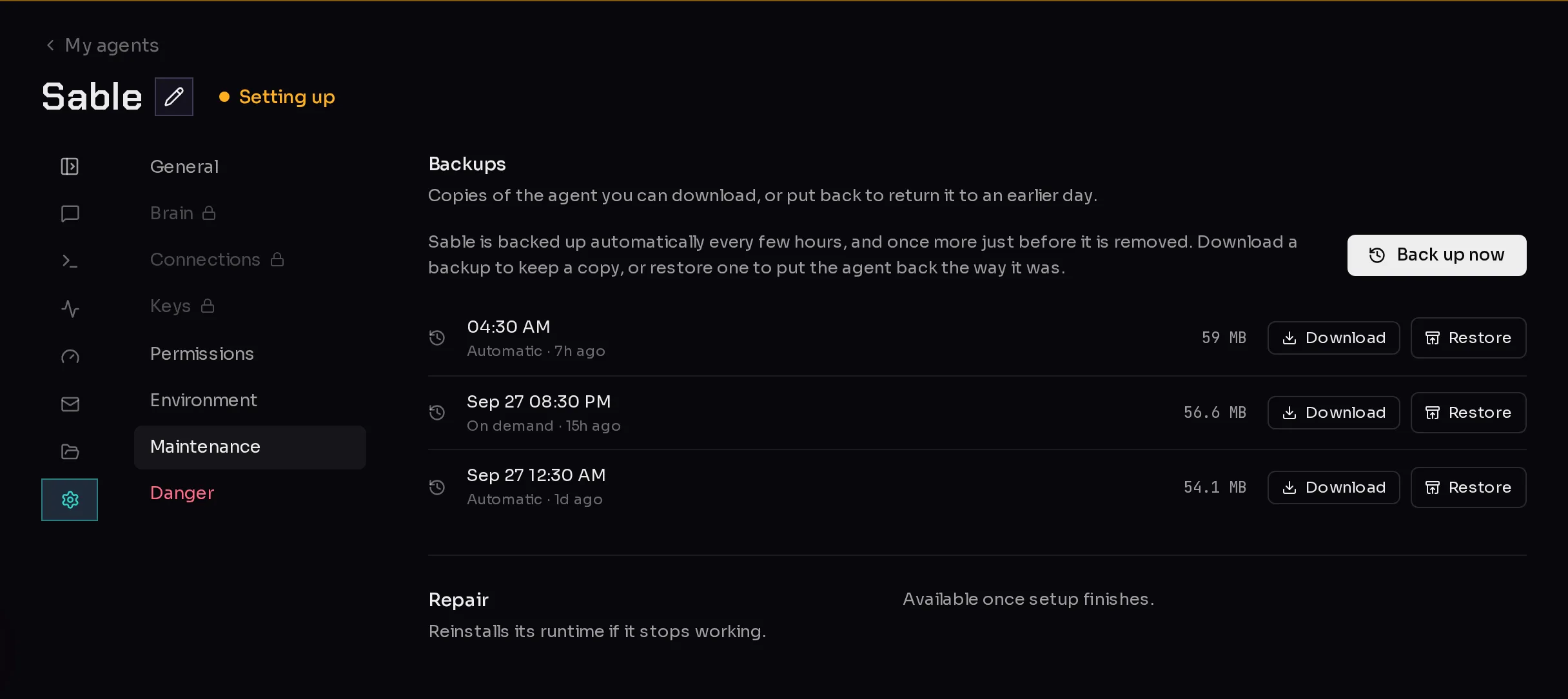
- The Workspace tab and the Brain, Connections and Keys sections of Settings show a lock (2) until setup finishes.
- Repair under Maintenance says Available once setup finishes. (3)
 123
123When setup finishes, the status changes to Working, the locks go away, and the chat opens.
Slow or stuck?#
The longest step is installing the agent runtime. It can stay quiet for several minutes, because an environment runs one installation at a time: if a new environment is still installing its dependencies, or another agent on the same environment is setting up, this agent waits its turn and prints nothing meanwhile.
So a quiet step is not a stuck one. As a rule of thumb:
- The step counter is still ticking and the step changes now and then: it is working. Give it time.
- It is well past the times above, and nothing else is setting up on that environment: open Report a bug and tell us the agent's name.
If setup fails#
A setup that fails changes the agent's status to Needs attention. In its Settings, under General, Health reads Something went wrong, with the reason when there is one.
- Open the agent's Settings tab and choose Maintenance.
- Click Repair agent and confirm. A repair reinstalls the agent and puts its configuration back, keeping your conversations and keys.
See Repair an agent for what a repair keeps and changes.
If the environment itself could not be created, the create-agent page shows the reason, or The environment could not be created. Try again. Click Set up an environment to try again. See Create an environment.
Frequently asked questions#
Can I close the browser while my agent sets up?
Yes. Setup runs on Qoren's side. Your setup interview answers are saved as you type them, so you can pick up where you left off.
Why is my agent waiting for another one?
An environment runs one installation at a time. If another agent on the same environment is setting up, or a new environment is still installing its dependencies, your agent waits its turn before its own install starts.
Can I change settings while the agent sets up?
Some. General, Permissions, Environment, Maintenance and Danger stay open. Brain, Connections, Keys and the Workspace tab unlock once setup finishes, so a change cannot clash with the setup.