
Bring your own OpenRouter key (BYOK)
Run every agent on your own OpenRouter key so model usage is billed by OpenRouter, not in credits. How to connect it, what still uses credits, and undoing it.
On this page
By default your agents call AI models through Qoren's own key, and that model usage is paid for in credits. With bring your own key (BYOK) you connect your own OpenRouter account instead: your agents run on your key and OpenRouter bills you directly for the models they use.
Before you start#
- An OpenRouter account and API key. BYOK works with OpenRouter only. Create a key at openrouter.ai/keys and add credit to your OpenRouter account.
- A live plan. The BYOK tab appears once your plan is active or in its free trial. BYOK is available on every plan, including the trial.
- Owner access. Only the organization owner can connect, replace or disconnect the key.
Connect your key#
- Click your avatar, then Settings.
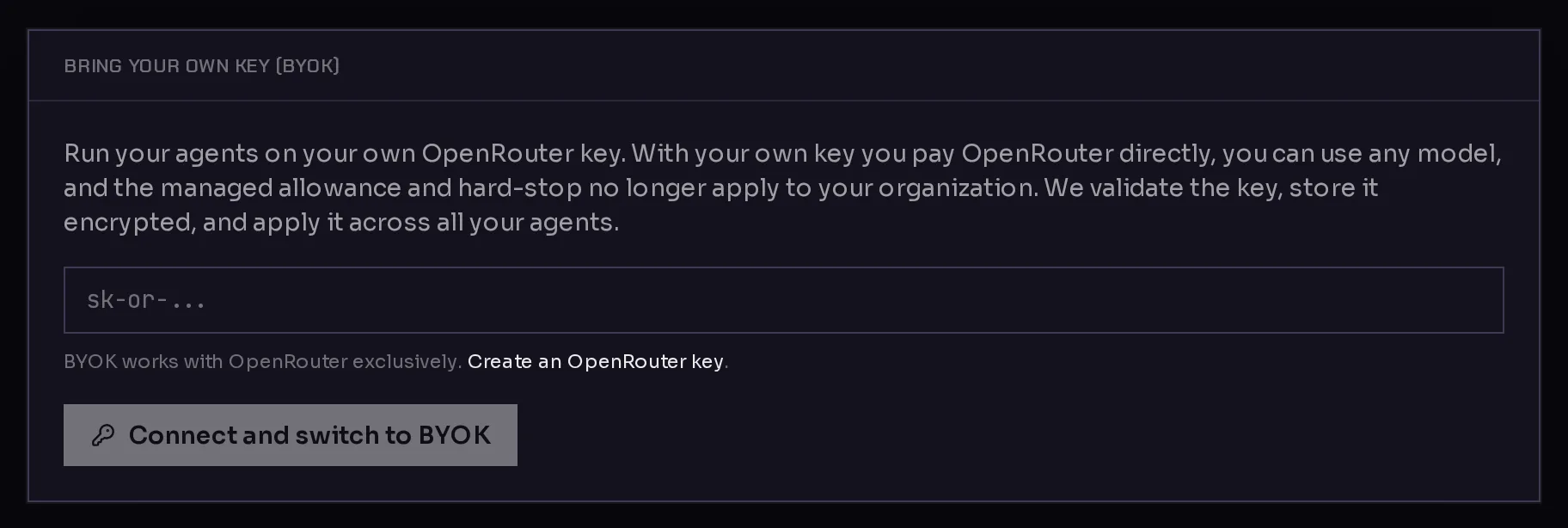
- Open the BYOK tab. You see the Bring your own key (BYOK) card.
- Paste your OpenRouter key into the key field (1). It starts with
sk-or-. - Click Connect and switch to BYOK (2).
 12
12Qoren checks the key with OpenRouter, stores it encrypted, switches your organization to BYOK, and then applies the key to all your agents. A key OpenRouter does not accept is refused with a message, and nothing changes.
Once connected, the card shows BYOK active with the key partly masked, and a short report from OpenRouter:
- Key: Valid or Invalid, with the key's label if it has one.
- Remaining credit: what is left on the key, when the key has a limit.
- A warning if it looks like a free-tier key. Add credit on OpenRouter, or your agents may stall mid-run.
- Applied to X of Y agents: agents move over to your key in the background, so this count catches up after a moment.
New agents you create after connecting get your key automatically, so the setup form does not ask for one.
What changes on your bill#
With BYOK on, model usage is no longer paid in credits: every model call goes to your OpenRouter account and OpenRouter charges you for it. The agent Usage tab shows no model charges for the time an agent ran on your key.
Everything Qoren runs for you still uses credits:
- Environments: the hosting for the computers your agents run on.
- Mailboxes: agent email inboxes.
- Web searches: the web searches agents make through Qoren's search service.
So your balance still matters. If it reaches zero, your agents are paused like on any plan, and they resume once credits are back. The card's line about the managed allowance and hard stop being paused refers to model usage only. See how credits work for the full picture, and pricing for what each plan includes.
Replace your key#
- Go to Settings and open BYOK.
- Under Replace key, paste the new OpenRouter key.
- Click Update key.
Qoren checks the new key, stores it, and applies it to all your agents. Revoke the old key in OpenRouter afterwards.
Switch back to Qoren's key#
- Go to Settings and open BYOK.
- Click Disconnect (switch back to managed).
Your organization goes back to managed billing, your key is deleted from Qoren, and your agents are moved back onto Qoren's key. From then on, model usage is paid in credits again.
Where the key is kept#
Your OpenRouter key is stored encrypted in your vault under the name OPENROUTER_API_KEY, with the description "OpenRouter BYOK key". Each agent receives it in its own settings file, where it shows in the agent's Keys settings with the Qoren label and Managed for you. Manage it from the BYOK tab rather than from the vault or the agent.
Frequently asked questions#
Which providers can I bring a key for?
OpenRouter only. OpenRouter gives access to models from many providers through one key, and that is the key Qoren's agents are built to use.
Do I still need credits with BYOK?
Yes. Model usage moves to your OpenRouter bill, but environments, mailboxes and web searches are still paid in credits. If your balance runs out, agents pause until you top up.
Who can connect or change the key?
Only the organization owner. Other members get an error if they try.
What if my key is on OpenRouter's free tier?
The BYOK card warns you when a key looks like a free-tier key. Add credit on OpenRouter so your agents do not stall mid-run. The card also shows the key's remaining credit when the key has a limit.
Can I switch back later?
Yes. Click Disconnect (switch back to managed) on the BYOK tab. Your key is deleted from Qoren and your agents return to Qoren's key, paid in credits.