
The skill library
Teach agents reusable know-how with skills. Write a SKILL.md with instructions and files, or add a starter skill, then hand it to any agent that needs it.
On this page
A skill is a piece of know-how you write once and give to any agent: how to parse an invoice, the house format for a client brief, the tone for chasing late payments. Your skill library holds them all, ready to hand out.
What a skill is#
Each skill is a single document, called SKILL.md on the agent, made of three parts:
- A name, such as "Invoice parser".
- When to use it: one line the agent reads to decide whether the skill applies right now. For example, "Use when the user uploads an invoice PDF and wants the vendor, total and due date extracted."
- Instructions: the step-by-step the agent follows once the skill is triggered, written in Markdown.
A skill can also bundle supporting files, such as reference documents, data or scripts the agent opens while it works.
An agent does not read every skill all the time. It sees each skill's "when to use it" line and opens the full instructions only when a task matches. That keeps its everyday instructions short, and it is why the "when to use it" line matters most.
Open the library#
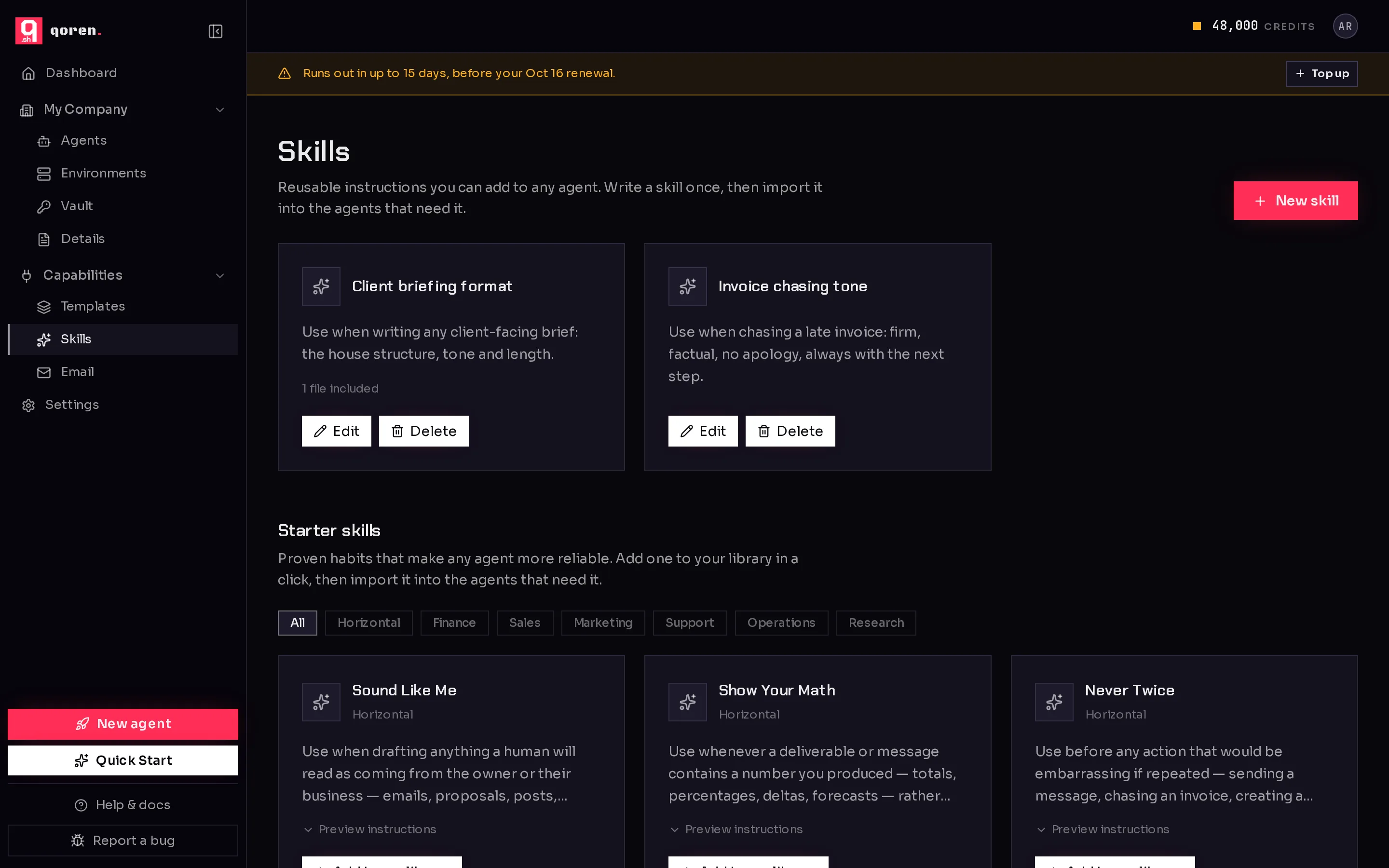
In the sidebar, under Capabilities, click Skills. Your own skills appear as cards at the top, each with Edit (2) and Delete. Below them is the Starter skills catalog.
 12
12Add a starter skill#
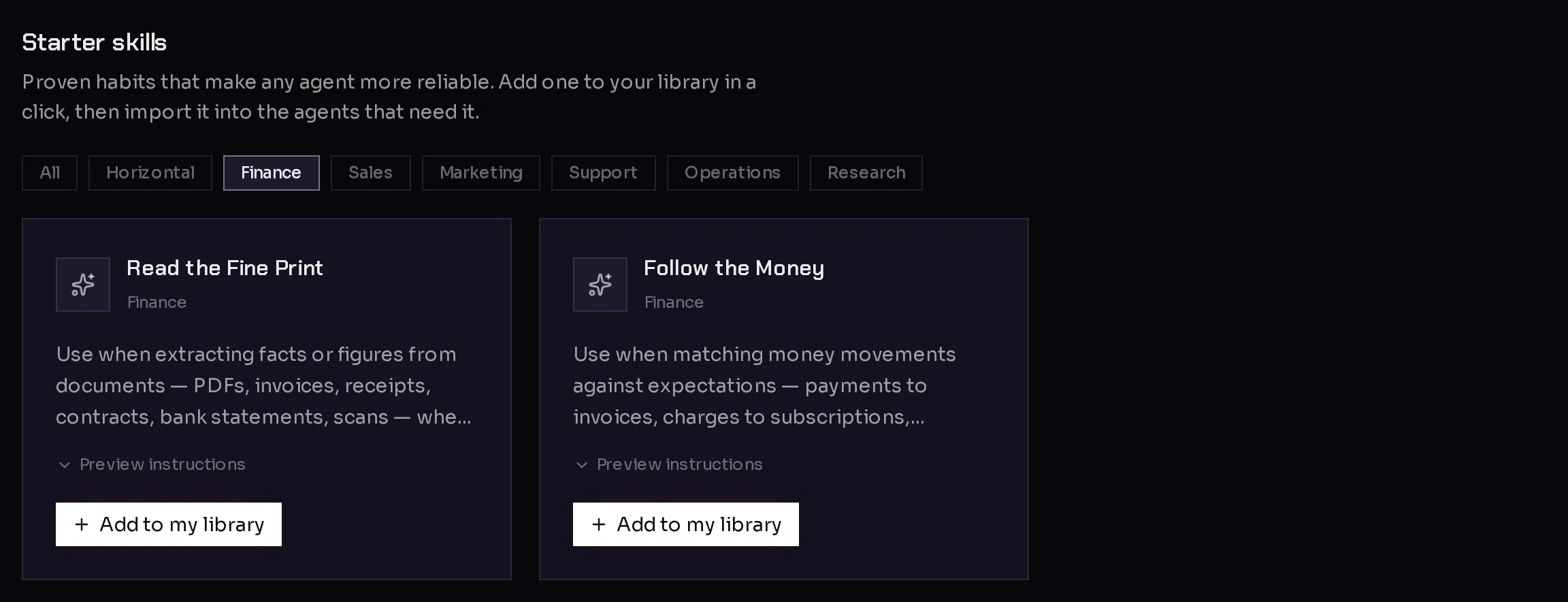
Starter skills are proven habits that make any agent more reliable, written by Qoren. They are grouped into categories: Horizontal (useful for every agent) and job areas such as Finance, Sales, Marketing, Support, Operations and Research.
- Scroll to Starter skills.
- Click a category (1) to narrow the list, or All to see everything.
- Click Preview instructions (2) to read what the skill tells the agent.
- Click Add to my library (3).
 123
123The skill is copied into your library, and the card now says Added. From there you can give it to agents like any skill of your own.
When Qoren improves a starter skill you added, its card shows Update available. Click it to replace your copy with the new version. If you edited your copy by hand, it is treated as your own skill from then on, and updates are no longer offered for it.
Write your own skill#
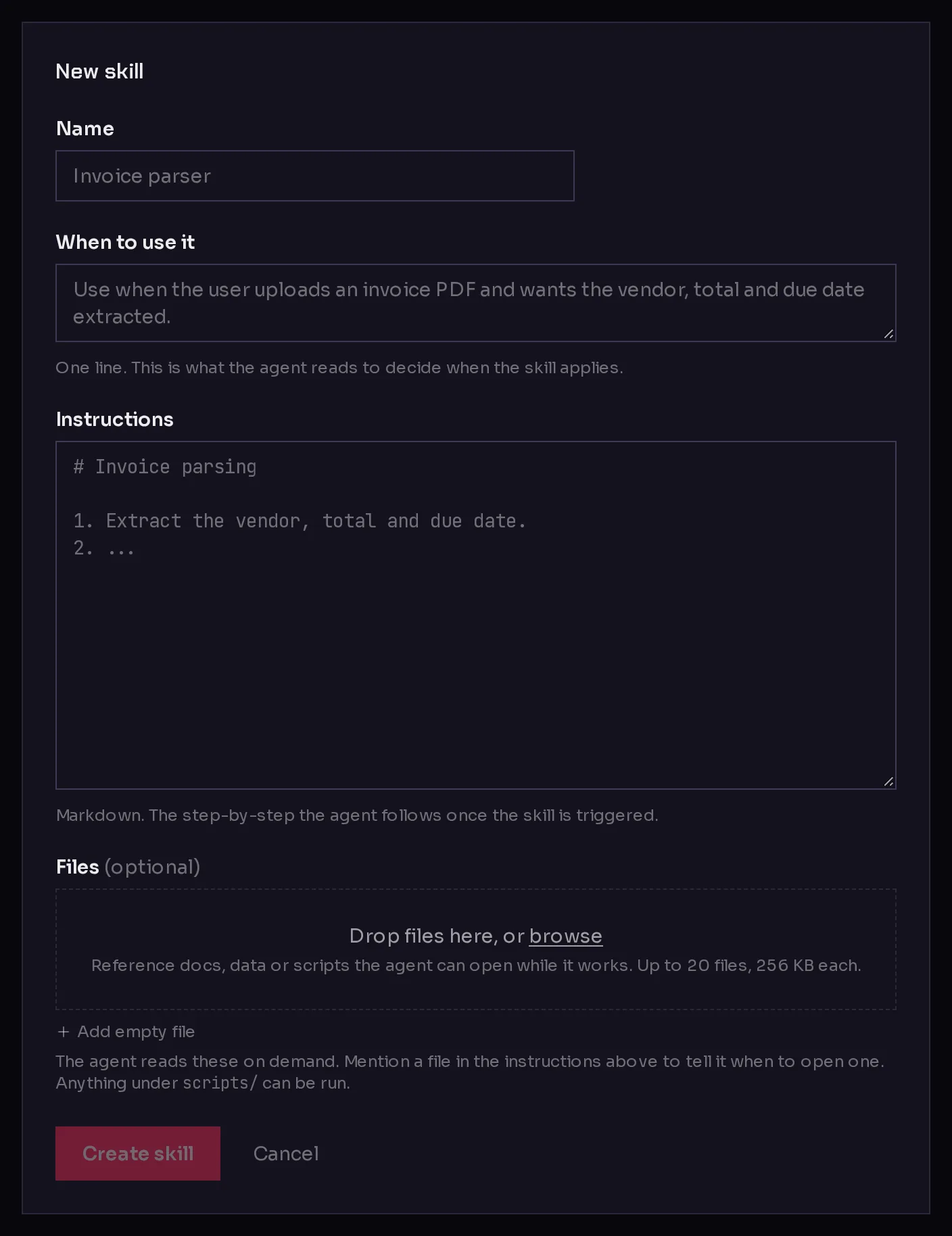
- On the Skills page, click New skill (1 in the library screenshot).
- Enter a Name (1).
- Under When to use it (2), write one line saying when the skill applies. Start with "Use when ..." and be specific.
- Under Instructions (3), write the steps in Markdown.
- Optionally, add supporting files (4): drop them on the box or click browse. You can also click Add empty file and write one in place.
- Click Create skill (5).
 12345
12345Name, when to use it and instructions are all required.
Supporting files#
- Up to 20 files per skill, 256 KB each and 1 MB in total.
- You can rename a file's path, such as
references/pricing.md, and edit text files in place. Binary files such as a PDF or an image can be replaced but not edited. - The agent reads these files on demand. Mention a file in the instructions to tell it when to open one.
- Anything under
scripts/can be run by the agent.
Security checks#
Qoren checks every skill before saving it, the same way it checks templates. A skill with a serious spending or security risk is not saved, and the message lists what to change.
Edit or delete a skill#
- Edit opens the same form. Change the description, instructions or files and click Save changes. The name is fixed: to rename a skill, create a new one.
- Delete asks Really delete? first. Click it again to delete the skill from your library.
Changes in the library do not reach agents on their own. See add skills to an agent for how an agent picks up a new version, and how to take a skill off an agent.
Frequently asked questions#
Which agents can use skills?
Skills can be imported into Hermes agents today. On other runtimes the Skills panel is not shown in the agent's settings. See runtimes.
Who can see my skills?
Skills belong to your organization. They are not shared with other Qoren customers.
How is a starter skill different from my own?
Once added, a starter skill is a normal skill in your library. The only difference is that Qoren can offer you updates for it, until you edit it yourself.
Do skills cost anything?
No. A skill is text and files. The agent's work while following it is normal model usage.