
Repair an agent that stopped working
Check an agent's health, run a repair that reinstalls its runtime while keeping its memory and keys, or reset it to its template when its setup has drifted.
On this page
When an agent stops answering or keeps running into errors, a repair fixes most problems in a few minutes without losing anything. This page shows how to read the agent's health, when to repair, and what a repair does and does not touch.
Check the agent's health#
- In the sidebar, click Agents and open the agent.
- Click the Settings tab. General opens with Health at the top.
 12
12The status (1) is checked on its own every few minutes. Click Check now (2) to run a check straight away; the button appears while the agent is running.
- Running smoothly (green): nothing is wrong. No repair needed.
- Needs a look or Gone quiet (amber): it is up, but its recent work has a problem. Read the line under the status; it often says what.
- Part of it has stopped or Can't be reached (red): it is not working. Repair it.
- Something went wrong (red): it did not finish setting up. Repair it.
- Paused (grey): it is not broken. This month's usage budget is used up; see spend controls.
All the statuses are listed in choose a model.
Repair the agent#
- On the agent's Settings tab, click Maintenance.
- Under Repair this agent, click Repair agent (1).
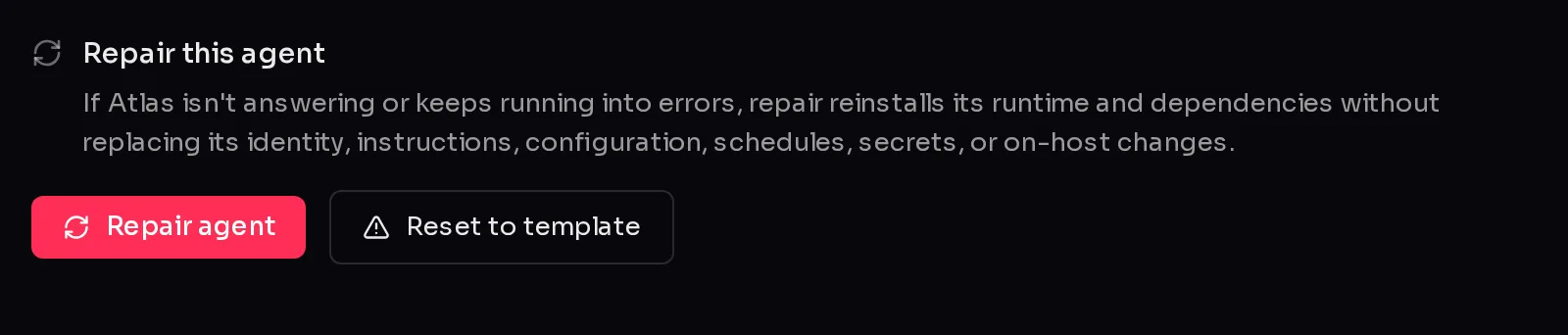 12
12- Read the confirmation and click Repair agent again (1).
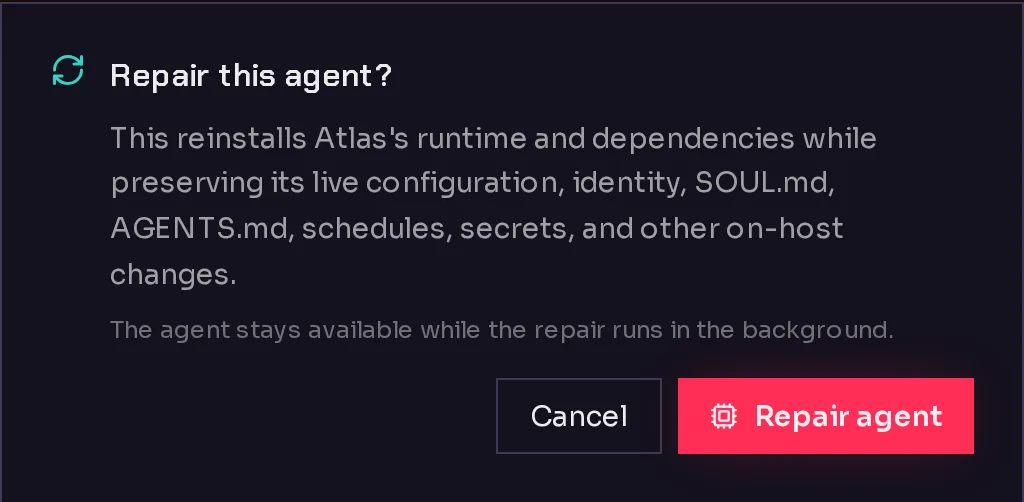 1
1The card changes to "Repairing *agent*…" with a Step *n* of *m* badge. It usually takes a few minutes, and the agent stays available while the repair runs in the background, so you can go back to the chat. When it is done the card says Repair finished and the agent is ready to chat.
What a repair does#
A repair reinstalls the agent's runtime (the agent software) and its dependencies. It keeps:
- its identity and instructions files,
- its configuration and scheduled tasks,
- its keys and secrets,
- its conversations, memory and files,
- any other changes made on the environment.
In other words, it replaces the machinery and leaves the agent's mind alone.
If a repair does not finish, the card says Didn't finish with the reason. Click Try again. After a repair you can start another one after a short wait; the card shows how long.
Reset to template#
Reset to template (2) goes further. It replaces the agent's live configuration and its identity and instructions files with the current versions from the template it was created from, then runs the template's setup steps again. Its conversations, scheduled tasks, credentials and secrets are kept.
Use it when the agent's setup has drifted so far that a plain repair does not help, or when you want the template's latest instructions. Any edits you made to the identity or instructions files are lost, so take a backup first if you might want them back.
The button is greyed out for an agent with no recorded template.
Frequently asked questions#
Will a repair delete my agent's memory or conversations?
No. A repair reinstalls the runtime and keeps the agent's identity, instructions, configuration, schedules, secrets, conversations and files.
Why can't I click Repair agent?
Either the agent has not finished setting up yet (the section says "Available once setup finishes"), or you repaired it moments ago and the short wait before the next repair has not passed.
The repair finished but the agent still does not answer. What now?
Check its Health again with Check now, and look at agent not responding for other causes, such as a spent budget or a broken chat connection.
What is the difference between Repair agent and Reset to template?
Repair keeps everything and reinstalls the software underneath. Reset to template also replaces the agent's configuration, identity and instructions with the template's versions.