
What an environment is
An environment is the private computer your Qoren agents live and work on. Learn how agents share one, what it costs, and what each status means.
On this page
An environment is a private computer in the cloud that your agents live and work on. Every agent runs inside one, so you need at least one environment before your first agent can start. Qoren sets it up, keeps it running and looks after it; you never log in to a server.
How agents share an environment#
One environment can hold several agents. Its size is simply how many agents fit: 1, 2, 5 or 10. The agents on it share its memory and processing power, and each one keeps its own files and settings.
When an environment is full, you cannot add another agent to it. Qoren says "This environment is full" and asks you to make it bigger or add another environment. See environment sizes and agent capacity to pick the right size, and resize an environment to grow one you already have.
Agents on the same environment can also work as a team. When you switch on collaboration for an environment, its agents can message each other to hand off work. See agents working together.
What an environment costs#
An environment draws credits from your balance every hour it runs, from its first hour. The rate depends on its size, and every environment of the same size costs the same. The Environments page shows the combined hourly rate of all your environments under the page title. How credits work explains the balance these charges come from.
If your balance reaches zero, your agents pause. The environment itself stays in place, so nothing needs to be set up again once you top up.
The Environments page#
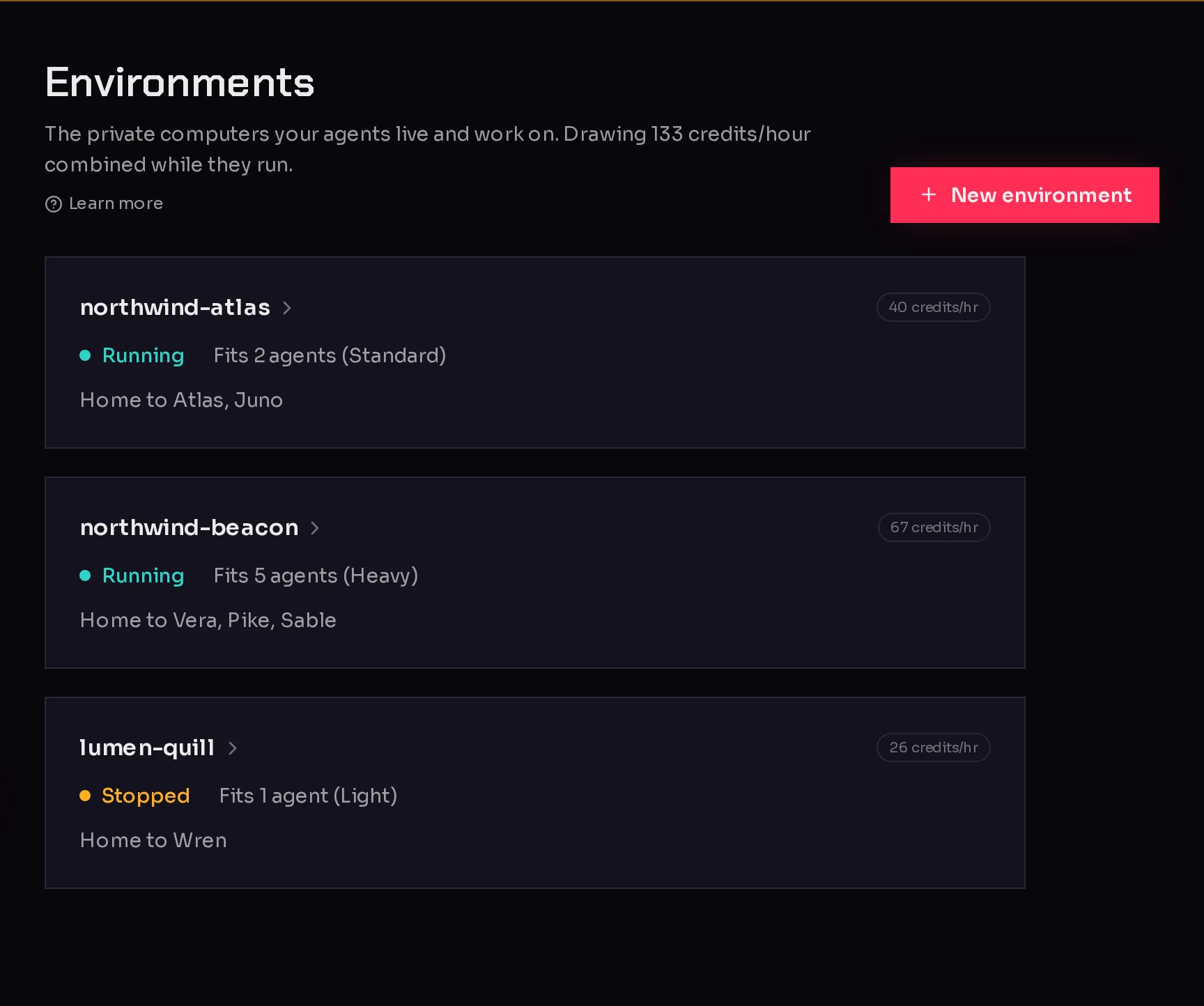
In the sidebar, open My Company and click Environments. Each environment gets a card:
 1234
1234- New environment (1) opens the form to create an environment.
- The status (2) says what the environment is doing right now (see below).
- Fits 2 agents (Standard) (3) is its size, stated as how many agents it holds.
- 40 credits/hr (4) is what it draws per hour while it runs.
- The last line names the agents that live there, or says No agents here yet.
If you run agents for clients and use agency clients, each card also shows which client the environment works for, or No client.
Environment statuses#
| Status | What it means |
|---|---|
| Running | The environment is up and its agents can work. |
| Setting up | Qoren is creating the environment. This usually takes a minute or two. |
| Resizing | The environment is changing size. Its agents take a short break and carry on afterwards. |
| Removing | You removed the environment and Qoren is deleting it. |
| Stopped | The environment is powered off, so its agents are not working. |
Right after an environment goes live you may see "Dependencies are still installing. You can already add and configure agents; a deploy waits for the install to finish." You do not need to wait: set up your agent and it starts as soon as the install is done.
Open an environment#
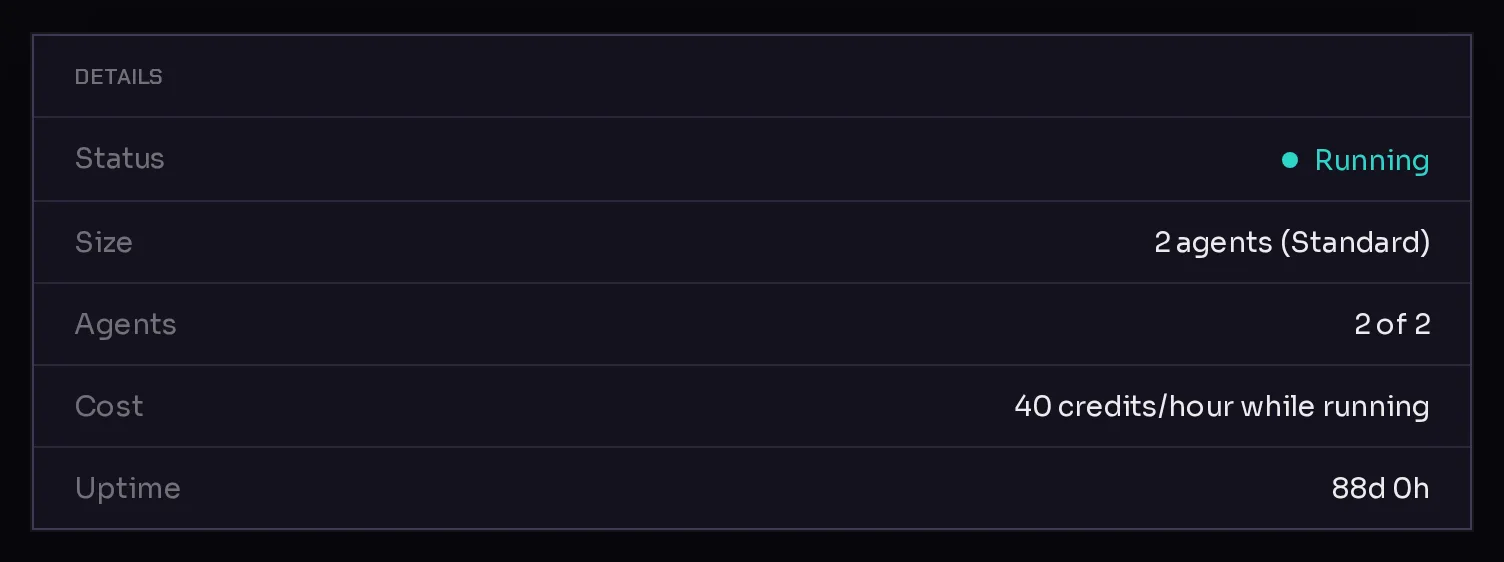
Click a card to open the environment. Its Overview tab sums it up:
 12
12Agents shows how many of its places are taken, here 2 of 2 (1), so this environment is full. Cost (2) repeats its hourly rate. The other tabs hold its agents, its logs and its settings, covered in environment settings and logs.
Where your environment runs#
New environments are created in your company's default region. The account owner can change it under Details in the sidebar, in the Environment region card; see company details. The region only affects new environments. An environment cannot move to another region once it exists.
Frequently asked questions#
Do I need an environment before I create an agent?
Yes. If you have none, the create an agent flow shows Set up an environment first. Click Set up an environment, create one, and you come straight back to finish your agent.
Can I have more than one environment?
Yes, up to the number your plan allows. You might keep one per team, or one per client if you run an agency. The plans and trial page shows each plan's limits.
Does an environment cost anything when it has no agents?
Yes. An environment is billed per hour while it runs, whether or not agents live on it. Remove environments you no longer use.
Can agents on different environments message each other?
Collaboration is switched on per environment and works between the agents that share it. To have two agents work together, put them on the same environment.