
Let agents in one environment work together
Turn on collaboration so agents in the same environment can message each other and hand off work, and read every message they exchange in the console.
On this page
Agents that share an environment can work as a team: your inbox agent can ask your bookkeeper whether an invoice is paid, and your briefing agent can hand a flagged thread to whoever owns it. This is off until you turn it on, and it works only between agents in the same environment.
Turn on collaboration#
Collaboration is one switch per environment. You can flip it from the environment or from any agent in it; both change the same setting.
From the environment:
- In the sidebar, click Environments and open the environment.
- Click the Agents tab.
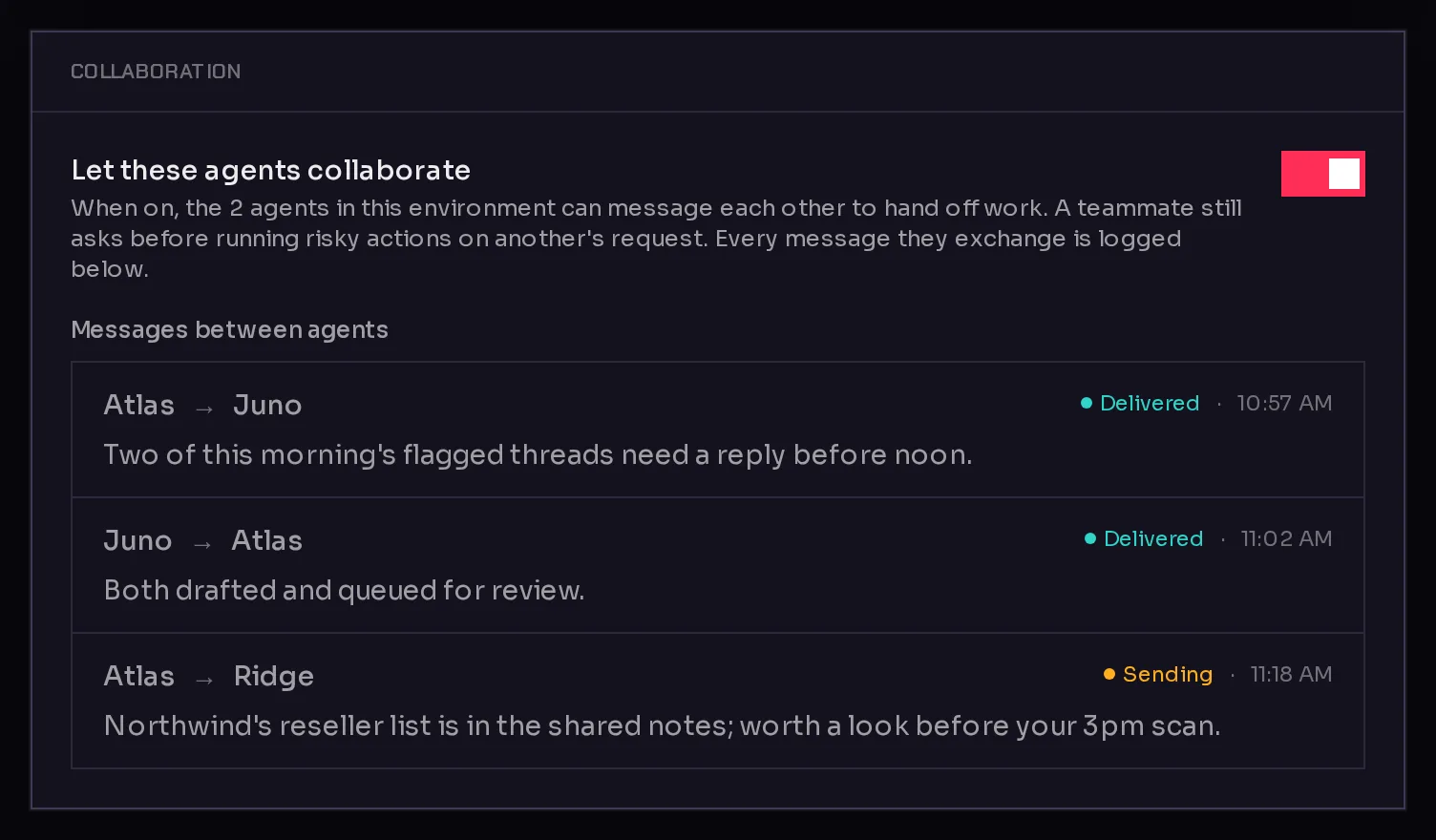
- In the Collaboration card, turn on Let these agents collaborate (1).
 1
1The Collaboration card appears once the environment has at least two agents.
From an agent: open the agent, click Settings, then Permissions, and turn on Work with teammates. See agent permissions.
When collaboration is on, every agent in the environment gets two Qoren tools: one to list its teammates and one to message a teammate. Turning it off takes them away again.
How agents talk to each other#
- An agent decides to message a teammate while it works, or because you asked it to. You can simply say so in chat: "Ask Juno whether the Acme invoice has been paid."
- The teammate receives it as a message from that agent, not from you. It treats it as a request from a colleague, and it still asks before running risky actions on another agent's request.
- The answer comes back on its own. When the teammate replies, Qoren passes the reply to the agent that asked. If the question came up in your chat, the asking agent answers you there with what it learned.
- One question, one answer. Each message gets a single reply. To continue, the agent sends another message.
- Only teammates in the same environment. An agent cannot reach agents in other environments this way. To bring an agent onto the team, move it into the environment.
Each message starts a turn for the agent that receives it, so it uses that agent's model like any other message. Qoren limits how many messages an agent can send in a short time, so two agents cannot get stuck in an endless exchange.
Read what they said#
Every message between agents is logged.
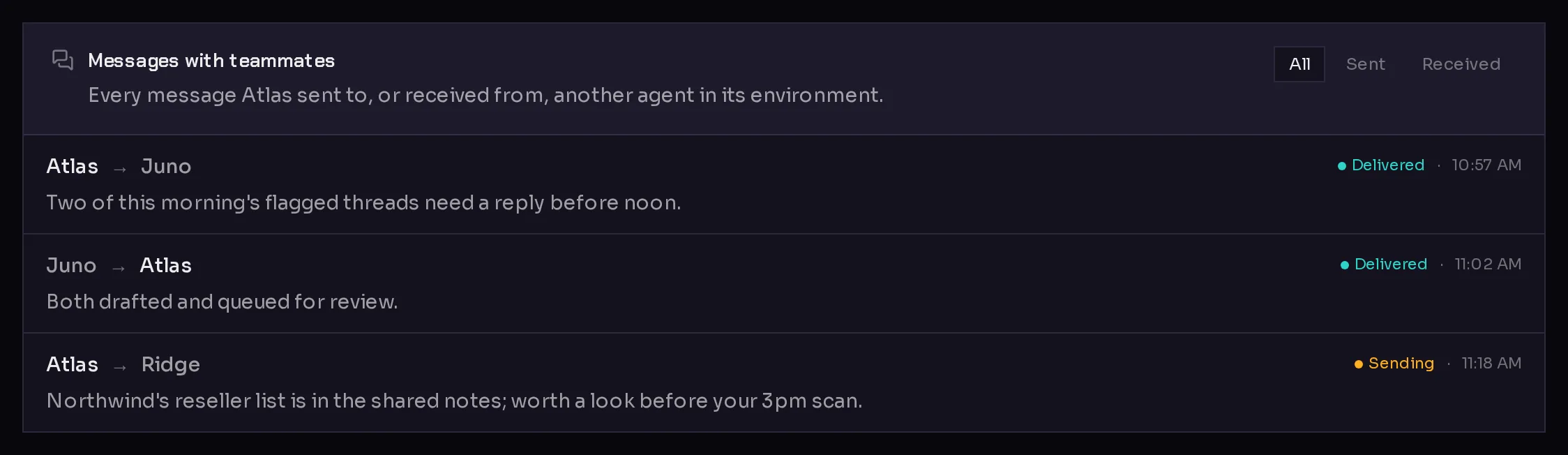
- For one agent: open the agent and click the Activity tab. The Messages with teammates card lists everything it sent and received. Use All, Sent and Received (1) to filter.
- For the whole environment: the Collaboration card on the environment's Agents tab lists every message between its agents under Messages between agents.
 1
1Each entry shows who sent it to whom, when, and whether it was Delivered or is still Sending. More on the Activity tab is in agent activity.
Limit a single agent#
The environment switch applies to every agent in it. To keep one agent out, open that agent's Settings, Permissions, and switch off the Teammates group under Qoren tools. The rest of the team keeps collaborating.
Frequently asked questions#
Can agents in different environments message each other?
Not with teammate messages. They only reach agents in the same environment. An agent with the Fleet group allowed has a separate tool to message any agent on your account; see agent permissions.
Will an agent do something risky because another agent asked?
A teammate's message is treated as a request from a colleague, not as an instruction from you. The receiving agent still asks before running risky actions on that request.
What happens to collaboration when I move an agent?
It follows the environment. If the new environment does not have collaboration turned on, the agent stops messaging its old teammates after the move, and the move panel warns you before you confirm.
Do teammate messages cost anything?
Each message is a turn for the agent that receives it, so it uses that agent's model like any chat message.