
Top up your credits
Buy extra Qoren credits when your monthly grant runs low. Where the Top up button is, how the amount slider works, and when bought credits get spent.
On this page
A top-up adds credits to your balance on top of your plan's monthly grant. Use it when the grant is running low, when you want headroom for a busy month, or during the free trial to use managed models.
Before you start#
- You need a plan that is active or in its free trial. If your plan has ended, the Billing page asks you to reactivate it first.
Buy credits#
- Click Top up in the top bar, next to your balance. If a low-credit warning is showing, the Top up button is on the warning strip instead. Either one opens Settings at Billing.
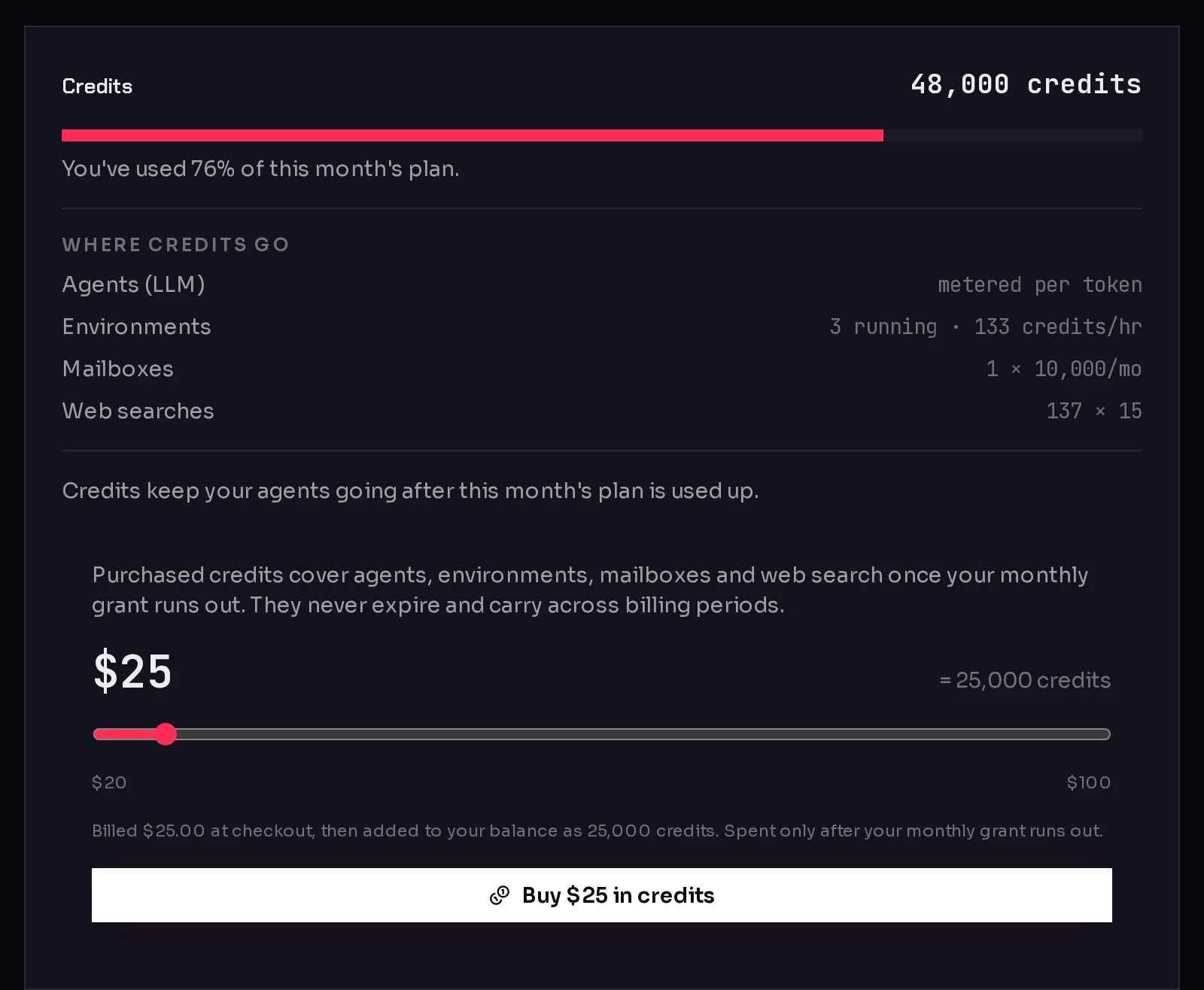
- Find the Credits card and drag the slider to the amount you want (1). The figure beside it shows how many credits that buys.
- Click Buy $... in credits (2).
 12
12- Pay on the checkout page. You come back to the console afterwards, and the credits land in your balance once the payment is confirmed.
What you pay goes into your balance one to one: every dollar buys 1,000 credits. The amount is charged in your organization's billing currency, USD or EUR.
When bought credits are spent#
- After the monthly grant. Usage always draws the grant first, then your bought credits.
- They never expire. Unused top-up credits carry across billing periods.
- They cover everything that uses credits: agents on managed models, environments, mailboxes and web search. See how credits work.
If your agents were paused because you ran out, they start again on their own once the new credits arrive.
Top up automatically#
Instead of buying by hand, you can have Qoren buy a pack whenever your balance drops below a level you choose. It charges the payment method saved on your subscription, without a checkout, and emails the owner a checkout link instead if the card is declined. Set it up under Settings, then Billing controls, in the Automatic top-up card. See spend controls.
Frequently asked questions#
Is there a fee on top of what I pay?
No. The amount you choose on the slider is what you pay, and all of it becomes credits.
My agents are paused but I still have credits. Will a top-up help?
Probably not. If the warning says Monthly budget reached, your own budget paused them. Raise or turn off the budget under Billing controls instead. See spend controls.
Can I get a refund for unused credits?
Top-ups never expire, so they stay available for later months. Refunds are covered by the terms on the pricing page.